
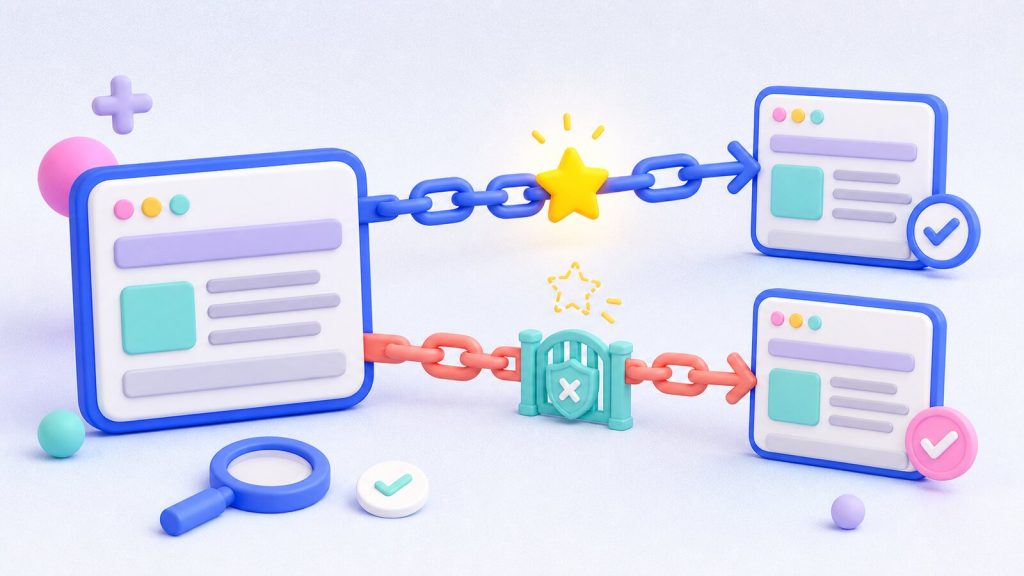
Nofollow — that’s the subject of this lesson. What NoFollow means, what nofollow links are, how and when to create one, what the difference between dofollow and nofollow is, which nofollow plugins are worth using… there’s a lot to get through.
As you’ll know, in the SEO Academy we cover every topic connected to ranking on search engines. If you’re new here, have a look at the earlier lessons — we’ve covered a number of things that will help you follow this article.
If this lesson interests you, it’s probably because you want to understand how and when to use the rel=nofollow attribute effectively, so as to protect your site’s authority.
Let’s get going!
Want to become an SEO guru?
Thinking about starting a career in SEO?
Got a site you want to optimize for search yourself?
Get in touch and ask about our SEO courses!
I want more info
What is a NoFollow?
The Nofollow tag is a device used by SEOs and webmasters to tell search engine crawlers whether or not to follow a particular link.
To understand what a NoFollow is, let’s briefly recap what a link or hyperlink is and how it works. A link is simply a hypertext connection that can point to pages inside or outside your website. Linking to a page whose anchor text matches its content is something search engines reward in SEO terms.
That’s because search engines read it as a sign of accuracy and of the quality of the information being passed to the visitor. In the same way, when a page or site receives a link (an inbound link or backlink), it gets a small boost in SEO ranking.
Nofollow and SEO ranking
In short, it works like this: Google’s algorithm, PageRank, assigns a page a score (from 1 to 10). Google’s main algorithm, Hummingbird, then weighs the “points” from each link received, the quality of the sites those links come from and other factors (there are more than 200) when deciding where that content ranks on search engines.
Nofollow & spam
The correlation between the number of backlinks and placing among the top results of a SERP led, in the past, to black hat SEO techniques and to the rise of link farms. These were “farms” churning out low-quality links in the shape of link aggregators and generators, used to spam and climb the SERPs.
Nofollow links and reputation
When a link to a page or website is placed in our content — whether deliberately or fraudulently, as spam — we pass part of our authority, our link juice, along with it. To stop link popularity flowing that way and make spam less effective, in 2005 the three main search engines — Google, Yahoo and Microsoft — jointly began adopting the Nofollow tag, or more precisely the rel=nofollow attribute.
The structure of a nofollow link
A link can carry one or more rel attributes (dofollow, canonical, alternate), where “rel” is short for “relationship”. A nofollow tag specifically uses this syntax:
< a href=”https://www.example.com/” rel=”nofollow”>anchor text</a>
These attributes define the relationship a link has with the page it points to. Technically, a nofollow link involves the following pieces:
- HTML: the markup language, now at version 5, used to build every textual and visual element that appears on a web page
- <a>: the element inside the HTML that carries a link’s properties
- the rel attribute: as described above
The difference between dofollow and nofollow
The link between inbound links and organic ranking mentioned earlier brings up an old question: dofollow links vs nofollow links. The former are, by definition, links carrying the dofollow tag, which tells the bot to follow them. That’s why they’re the only links that count for link building.
Want an SEO analysis of your site?
Want to know how many keywords you rank for on Google?
Want to know your website’s organic traffic?
Want to know who your competitors are and how they’re performing?
Want to know the number of backlinks pointing to your site?
No problem, we’ll tell you. FREE!
How to make a NoFollow
To make a nofollow, add the code string shown above to the link inside your page or article (in its HTML). In WordPress it’s straightforward — follow these steps:
- go to the page’s back end; on the right of the window you’ll find the “Visual” and “Text” tabs side by side. A single click switches between them
- right-click in your browser and choose “view page source”
- with F12 on Windows or CMD+Alt+I on Mac, find the link you’re interested in
- add the ”rel=”nofollow” tag as shown in the “structure of a nofollow link” section above. For an affiliate link the syntax is more involved, but the idea is the same. A link with the nofollow tag added looks like this:
< a href=”https://euwebagency.com/?affiliate=kbji2408n&vendor=3297” rel=”nofollow”>anchor text</a>
Alternatively, CMS platforms such as WordPress, Joomla, Drupal and others have dedicated plugins that handle this quickly and simply. Among them: WP Link Status Pro (go to site), Nofollow manager (go to site), Ultimate Nofollow (go to site) and Nofollowr (go to site).

Why use a NoFollow?
As mentioned above, the nofollow tag can play a decisive role in how a website’s “popularity” is passed on — all the more so given how widespread social platforms have become.
Statements from Google’s Matt Cutts, in a post about the use of follow links with exact-match anchor text in widgets, affiliate links and guest posting, encouraged SEOs and webmasters to use it in order to avoid penalties.
Sites with comments, forums, guestbooks, message boards, links in social media blog posts or widgets can all be targets for black hat link building or spam in general. Adding the nofollow attribute disavows those links and stops us passing our reputation and authority to others. In any case, make sure paid links carry the nofollow tag, and always use a nofollow tag in these situations:
- a link to a site you don’t want to pass your reputation or a quality “vote” to;
- a link to a site that requires a login or registration;
- an affiliate link.
How Google handles nofollow links (and PageRank sculpting)
One use of the nofollow tag is to stop PageRank passing from one page to another. But with newer algorithm updates the tag can be read differently. The SEO community waited a long time for Google to state its position on nofollow links and PageRank sculpting.
The latter is simply an SEO technique in which the webmaster uses the nofollow tag and other devices to change how PageRank flows around a site. The long-awaited answer came in another post from Matt Cutts, confirming that nofollow links pass neither PageRank nor anchor text, and therefore have no effect on ranking.
Conclusion
In this lesson of your favourite SEO Academy we’ve covered Nofollow. You now have everything you need to understand exactly what a nofollow link is, how it’s built, and how to create one yourself.
But is that enough to rank your content first on Google? Sadly not…
Handling nofollow tags and other technical details is only one of many things to weigh up. SEO takes skill and experience, because a single mistake on a website can do real damage to the visibility of the content a company or brand creates and promotes.
So stay tuned and keep following us — in the next lessons of the SEO Academy we’ll get into plenty more interesting territory…
Want to improve your site’s SEO ranking? Want to optimize your site, get found by your customers on Google and beat the competition? Get in touch! We’ll work out the best SEO strategy for your site.
Want to sharpen your SEO knowledge? Get in touch! We’ll find the right SEO course for you.
Want to ask us something or just talk to us? Get in touch! That’s what we’re here for.