
Welcome to the Growth Hacking Academy. In this lesson we’ll cover chatbots, a subject drawing more and more interest.
Are you asking what chatbots are? Or do you want to know how to build one? Do you want to understand the difference between a Facebook chatbot, a Telegram chatbot, a Messenger chatbot and a WhatsApp chatbot? Do you want examples?
You’re in the right place.
One note before we begin: we’ve filed this lesson under growth hacking, but it’s useful if you’re interested in Facebook too — among other things we’ll be covering Messenger chatbots.
If you’re new to the Academy, go and discover everything else we’ve covered:
But let’s not waste time and start this lesson on chatbots.
Need a list of growth hacking tools?
Need tools to grow your business? Want to use growth hacking for your clients and work out which tools are available? No problem, we’ll give you the full list. FREE!
Request the free growth hacking tool list
What is a chatbot?
What is a chatbot? That’s the first thing we want to cover.
A chatbot is a bot (a robot) — a piece of software or an app — programmed and built to hold a conversation by chat, in writing, with a human being.
Think about your Facebook page, if you have one. How many questions arrive from the page’s followers or from other Facebook users? Certainly a great many. Now think how good it would be to have someone helping you answer them all.
The chatbot is the solution you’re looking for.
Programmed properly, a chatbot can answer your users’ questions accurately. It works through rules, patterns or artificial intelligence, with no human intervention.
The chatbot can be used for other purposes too. Read on — we’ll cover them.
Where chatbots are used
There are several fields where a chatbot can be used. Let’s go through them.
Marketing
The chatbot can be used for various marketing jobs:
- selling products from your store;
- bringing targeted traffic to your website;
- turning your blog’s readers into followers on Facebook;
- moving your Facebook followers onto Messenger, avoiding the limits Facebook places on organic posts. A Facebook post you don’t promote is now seen by practically nobody, while a message on Messenger is seen by everyone “subscribed” to your chatbot.
Customer service
One of the fields where a chatbot can be used is customer service. Some believe chatbots will eventually replace human beings in this area entirely.
What a chatbot could do in customer service:
- answer your customers’ and users’ questions and FAQs;
- start a live chat session and bring you in;
- give you a customer service that’s active 24 hours a day, seven days a week;
- let prospective customers book calls and appointments.
Lead generation
The chatbot can also be used for lead generation.
More and more often you see the move from old opt-in forms to Messenger buttons connecting to a chatbot built with ManyChat or Chatfuel (which we’ll come to).
Why generate leads with bots? Because you can send those leads messages and newsletters, automated ones included, through the chatbot. Sending promotional messages to the leads you hold in a chatbot is far more effective than sending emails. The open rate on a chatbot is close to 100%, because it arrives as a notification of a Messenger message from a friend.
Another advantage is that capturing a lead through a chatbot doesn’t require asking for a name and email, as opt-in forms do — users simply give consent through Facebook and it’s done.
Bookings and payments
The chatbot can also be used for booking and paying for services.
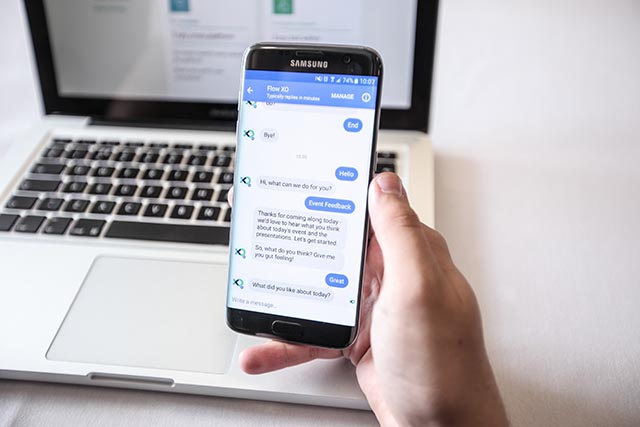
Take Uber, which connected its app with the Messenger app so you can book and pay for a ride there. That way a user isn’t obliged to download the Uber app to use the service.
That’s an example of a growth hacking strategy: using someone else’s network to your advantage. Messenger has far more users than Uber, which sensibly turned that to its own advantage.
Free to use image from Google Images
The Facebook Messenger bot
As we’ve seen, the chatbot exists to create a written online conversation between a human being and a robot.
Among the various types there’s the Facebook bot, for Messenger in particular. A Facebook bot, or Messenger bot, is simply a chatbot built on Facebook Messenger’s technology.
It’s a chatbot programmed to interact and communicate automatically with people on Facebook Messenger.
With a Facebook bot you can set up personalised message sending based on the day, the hour and your audience’s interests, and you can see the Facebook profiles of the users who interacted with the bot and analyse plenty of data.
Underlining how much chatbots matter, Facebook introduced the ability to create an ad specifically for bots. With Facebook Ads you can connect your creative to Messenger chat and send everyone who clicks the ad’s button straight to your bot.
Need a list of growth hacking tools?
Need tools to grow your business? Want to use growth hacking for your clients and work out which tools are available? No problem, we’ll give you the full list. FREE!
Request the free growth hacking tool list
Do you need to know how to code?
After all that you’ll be telling yourself: “of course it’s all wonderful, but it’s certainly too complicated to build and I’ll have to hire a professional who’ll cost me a fortune…”
Allow me to say you’re mistaken. Building a chatbot isn’t as complicated as you think, you don’t need to know code or how to program, and there are plenty of chatbot tools, apps and software packages that help.
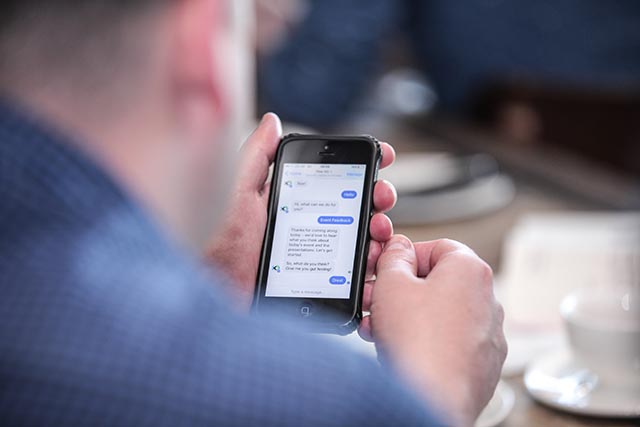
So I want to tell you about a set of tools and platforms that let you build a bot without knowing code — tools that let you build conversations in which the chatbot asks a question and offers the user a set of answers to choose from, and tools that allow natural interaction with a free exchange of messages.
In that last case we’re talking about intelligent bots, which are far more effective and are built on artificial intelligence (AI) — specifically NLP (natural language processing) or NLU (natural language understanding). We even get to machine learning, for bots able to learn continually from the chats they’ve had with human beings.
Free to use image from Google Images
Platforms for building bots
Before covering the two tools I consider best, ManyChat and Chatfuel, let’s run through some other platforms used for building bots.
HubSpot Chatbot Builder
HubSpot entered the bot-building race too, buying Motion.AI. The builder is new, so its pros and cons still need working out.
HubSpot Chatbot Builder is the first one I’d flag because, given HubSpot’s investment, I’ve no doubt it will be an excellent tool.
Price: free package with upgrade options to various tiers.
Flow XO
Flow XO is an application that lets you build conversations through flow diagrams, connecting modules according to the user’s answers.
It doesn’t include NLP features.
Supported platforms are Slack, Facebook, email, SMS and website chat.
Price: paid ($19/month) with a free trial.
ManyBot
ManyBot is useful if you want a Telegram bot.
Price: free.
Octane AI
Octane AI lets you build Messenger bots focused on sales and revenue and includes NLP and machine learning.
Price: $99/month for the base version and $299/month for pro.
Sequel
Sequel lets you build bots for Facebook, Telegram and Kik.
Main features: very simple to use thanks to preset templates, the option of coloured text and animated GIFs, and NLP.
Price: free trial, with no pricing indicated at the time of writing.
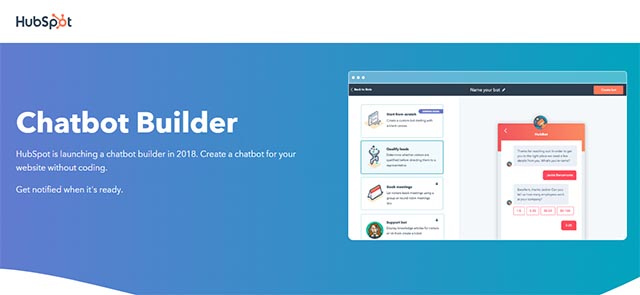
Image from hubspot.com
Botsify
Botsify lets you build Facebook bots without code.
Main features: no programming needed, various templates available with pre-built chatbot drafts for different sectors.
Price: various plans from $0 to $50/month.
Chatbot Builder
Chatbot Builder is an Italian platform for building Facebook Messenger bots.
Main features: very simple to use, no programming needed, various templates available.
Price: various plans from €0 to €99/month.
UserBot
UserBot is another Italian platform, letting you build bots for Messenger, websites, Telegram, iOS, Android and CRMs. It’s bot-building software aimed specifically at customer service.
Main features: plenty of customisation options, using artificial intelligence (AI) and machine learning.
Price: various plans from €24.90/month.
Api.ai (Dialogflow)
Api.ai lets you build bots for Google, Facebook, Slack, Twilio, Skype, Tropo, Telegram, Kik, LINE, Spark, Alexa, Cortana and Twitter.
Main features: as you can see it supports many platforms, it’s a highly professional tool, and it uses machine learning.
Price: free tier and pay-as-you-go.
Noibot
Noibot is another Italian example, from a company in Turin.
It lets you build WhatsApp chatbots.
Main features: automatic sending of messages, images, video and links; integration with other platforms (Zapier, WordPress).
Price: free tier and pay-as-you-go.
The two best tools for building a bot
Having run through those tools, we’ve finally reached the section where I’ll cover what I consider the two best pieces of software for building bots without knowing code. Both platforms are ideal for anyone starting out in this field.
Here they are.
ManyChat
Image from manychat.com
Want to build a bot without knowing code? One of the two best-known tools for building chatbots is ManyChat, software that’s simple and intuitive and perfect for anyone taking their first steps.
Let me give you the one drawback straight away: ManyChat has no NLP, so the answers to questions or phrases entered by the bot’s subscribers are predefined.
What you can do with ManyChat
With this autoresponder for Facebook Messenger you can:
- build Facebook Messenger bots without knowing any programming language;
- send messages, audio and video through Messenger with text, images, links, buttons, carousels and so on;
- show content from an RSS feed;
- build a list of answers to the questions you receive most;
- automate actions based on the keywords a user types (autoposting and message scheduling);
- connect the chatbot to your site.
What does ManyChat cost?
ManyChat has a free version including:
- Unlimited broadcasts
- 2 broadcast sequences
- 4 growth tools
- 10 tags
- 3 custom fields
And a paid version from 500 subscribers up, with costs starting at $10 a month.
Now that you know what you can do and what it costs, let’s get into how the software works.
Getting started with ManyChat
The first steps:
- Log in using your Facebook profile
- Select the page (so yes, to build a bot you need a Facebook page) from among the ones you’ve created.
Once you’re in, you’re taken to the dashboard where you can build and customise the bot.
ManyChat insights
In the dashboard you can see analytics for your chatbot’s subscribers. You can find out:
- how many subscribers you have;
- the number of messages sent;
- how many users left the bot;
- how many clicks the messages received.
Chatfuel
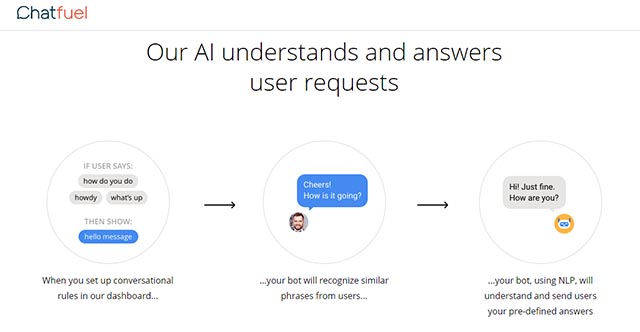
Image from chatfuel.com
The second bot-building service I want to cover is Chatfuel.
The first good thing about this platform is that it’s free. Or rather, there’s a paid version too, but the features you need for building the bot are all in the free one.
Conversations in Chatfuel are built through cards, each corresponding to a different interaction.
You can create conversations that work through messages and buttons:
- buttons are the classic predefined answers: the chatbot’s user clicks the answer they choose and is taken to the next message accordingly;
- with messages you use Chatfuel’s artificial intelligence (AI) instead. Based on groups of phrases you define, the bot looks for the best answer to give.
What you can do with Chatfuel
With this software you can:
- build chatbots for Facebook Messenger and for Telegram;
- build bots without knowing any programming language;
- start from preset templates to base your configuration on;
- add text, images, buttons, quick replies and so on;
- use the built-in artificial intelligence;
- integrate with Instagram, Twitter, YouTube and LinkedIn.
What does Chatfuel cost?
As we said, Chatfuel is free, with a PRO version starting at £30 per bot/page (up to 1,000 users interacting) and rising from there.
What the PRO version adds:
- removing the Chatfuel logo;
- access to the “People” tab, giving you more flexibility in managing your bot’s audience;
- the ability to download data as a CSV for building audiences in Facebook Ads Manager;
- personalised email support.
As you can see these are certainly useful features, but not essential for building a bot — so you can happily use the free version.
Where chatbots are heading
Chatbots are in a period of real ferment, and interest keeps growing.
Some go as far as to think that in a not-too-distant future chatbots will replace customer service entirely.
Conclusion
To close, in this lesson you’ve learned what bots are, how they work, how to build one and which are the best tools for building a bot without knowing code.
The subject is genuinely interesting, and bots and chatbots will certainly be used more and more in future.
So here’s what I’d say: what are you waiting for — start building your first bot.
If you enjoyed our lesson on chatbots, stay tuned to your favourite Growth Hacking Academy.
Want advice on growing your business? Get in touch! With growth hacking we’ll work out and implement the best strategy for reaching your goal.
Want to become a growth hacker? Get in touch! We’ll find the right course for you.
Want to ask us something or just talk to us? Get in touch! That’s what we’re here for.